![]() | Chinese QuarkXPress 4.0.3 Chinese Trad Power Mac CD |
| Nhaø | Trôï-giuùp | Lieân laïc vôùi chuùng toâi | Chính-saùch caù-nhaân |
| Soá ID cuûa saûn phaåm: | 2164 |
| Teân cuûa saûn phaåm | Chinese QuarkXPress 4.0.3 Chinese Trad Power Mac CD | |
| Special Price | $2095.95 | |
| Categories | Desk Top Publishing , Saûn phaåm noäi-ñòa, Software - Mac | |
| Order | ||
| ||
| Brief Description: | Chinese QuarkXpress supports all the equivalent English version features of QuarkXpress, such as advanced handling of color and the ability to open seven documents at one time. It supports PowerTalk and QuickTime. QuarkXpress Macintosh (Mac version) is compatiable with QuarkXpress (Win Version). It can import any formate file picture, e.g. MAC & PCOs EPS file and DCS 1.0/2.0 format picture files. It can read files which were not created in QuarkXpress, e.g. Microsoft Word, Works, Worperfect, and WriteNow. |
| Supporting language: | Trung-hoa |
| Cung caáp : | Mac |
| Yeâu caàu heä thoáng ñieàu duïng: | |
| Features: ---------------------------------- Tech Notes: ELIMINATING FONT OUTPUTTING PROBLEMS FROM QUARK Have you thought about purchasing one of the Japanese, Chinese or Korean localized versions of Quark only to change your mind when you found out that the service bureau you normally deal with can't output double-byte text. Here is a procedure for converting Asian Fonts to outlines and creating EPS files from a Quark document. This procedure will eliminate font problems when outputting to any Postscript output device. 1. Activate all necessary fonts through ATM or Suitcase. 2. Open Quark document, then make 2 copies of the problem page. For the sake of argument we'll say page 1 is the original and pages 2 and 3 are identical copies. 3. Go to page 2 and delete all images, blends, rules and boxes leaving only the text. 4. Save page 2 as EPS. 5. Open the EPS using Illustrator 7 or higher. 6. Select All then create outlines. 7. To eliminate printing errors, do a "Find Font" under the Type pull down menu. Any fonts showing as still being used in the document should be substituted with Courier or Helvetica. 8. Find the background box that defines the bounds of the page and make sure it is set to none for the fill. 9. Do a Save As Illustrator EPS and set the settings to 6.0 and include document thumbnails. 10. Go to page 1 of your Quark document and delete all the text from this page. Import your Illustrator EPS into a picture box that is the size of the page and positioned at X=0 and Y=0. The background of the box should be none and the runaround should be none. Page 1 is ready for the output device. No fonts are necessary on the output device. Page 2 is available for type changes by repeating steps four to ten. Page 3 is a backup of the original document. If you are using QuarkXPress 4.04 you will need Illustrator 8.0 to open the EPS. If you are using QuarkXpress 3.3 you can use Illustrator 7.0.
|
| To go with this product our staff recommends: |
| English<->Chinese Bidirectionary Sentence Tra
Special Price $299.95 Regular Price $349.95 The exclusive built-in English-Chinese and Chinese English sentence translation is the latest version equipped with functions such as proverb translation, idiom translation, slang and colloquial translation and sentence reference, allowiing... Language Learning Series - Chinese $21.95 Follow Me - Chinese $24.95 Business Chinese (Elementary) I $19.95 Chinese Adobe Photoshop 7.0 (Simplified) $295.00 |
| | |
| Tuttle: Making out in Chinese
Special Price $11.95 Regular Price $12.95 The Chinese version of the hugely successful Making Out in Japanese that lets you skip the grammar lesson and go straight to the everyday language of the people. Sex and Love. Colloquial Chinese $46.95 Language Learning Series - Chinese $21.95 The Chinese have a Word for it $17.95 Windows XP Pro MultiLingual Chinese $249.95 |
| | |
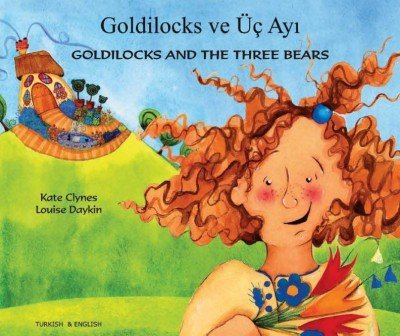
| Goldilocks & the Three Bears
Special Price $39.95 Regular Price $45.95 Learn English for children with Story World Disc 1, Story World Disc 2. These discs are also great as "readers" for english speaking children! Multilingual, including Arabic and Turkish! Quicktionary II English -> Chinese Trad. OCR $225.00 Now You're Talking Chinese In No Time $18.99 Business Chinese (Elementary) I $19.95 Xinhua English Dictionary with English Transl $24.95 |
| | |
| Learn Cantonese Intermediate Level I
Special Price $34.99 Regular Price $45.00 Intermediate level for all ages Improve your communication skills with this new disc from EuroTalk. It's step up from our famous 'Talk Now!'. It includes: Quickfire TV quiz - challenge a friend, or the computer. 10 language games --Lottery... Talk Now Vocabulary Builder - Chinese $35.00 Colloquial Chinese (CD-ROM) $100.00 Chinese - Chinese Grammar Self-Taught by Darr $17.95 A Concise Practical English Chinese Dictionar $34.95 |
| Nhaø Saûn-phaåm Nhöõng ngoân-ngöõ Nhöõng quoác-gia Keát baïn vaøo hoäi Lieân laïc vôùi chuùng toâi Vaán-ñeà an toaøn Chính saùch caù nhaân. | |||||||